
Have a discount code for your order? Promo codes are a great way to save during special offers and sales.
Applying one is quick and easy during checkout.
Where to Enter a Promo Code
Once you’ve configured your server plan and clicked Checkout, you’ll arrive at your cart page.
On the right-hand side under the order summary, you’ll see a Coupon Code box.
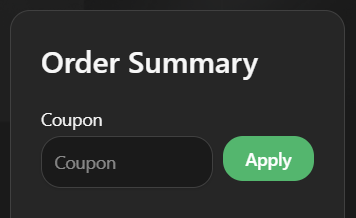
Applying the Code
Enter your promo code into the box
Click Apply
Your discount will immediately be added to the total
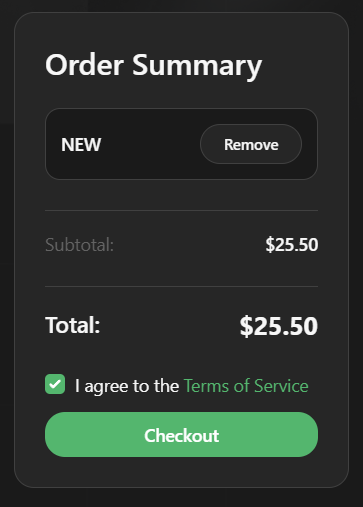
Types of Discounts
Promo codes can offer different kinds of savings, such as:
Percentage Discounts
Example: 50% off a $20 plan → total becomes $10
Fixed Amount Discounts
Example: $5 off a $20 plan → total becomes $15
Recurring vs One-Time Codes
Some promo codes apply only once, while others may last longer:
First billing cycle only (your first payment is discounted)
Multiple cycles (discount applies for several renewals)
Lifetime recurring discounts (discount stays active as long as the service is running)
After the discounted period ends, renewals return to full price.
Limited Use Promotions
Occasionally, we may run special deals with limited availability — for example, only the first 10 customers can redeem the code.
If that happens, it’s best to jump in quickly before the promotion runs out.
Active Discounts
We currently offer:
Code
NEW— 15% off your first billing cycle (always available)
Other discounts may appear during sales or events — check our Discord for the latest offers.