
KiwiNode supports two easy ways to upload files:
File Manager (browser upload)
SFTP (recommended for large uploads)
Option 1: Upload Using the File Manager
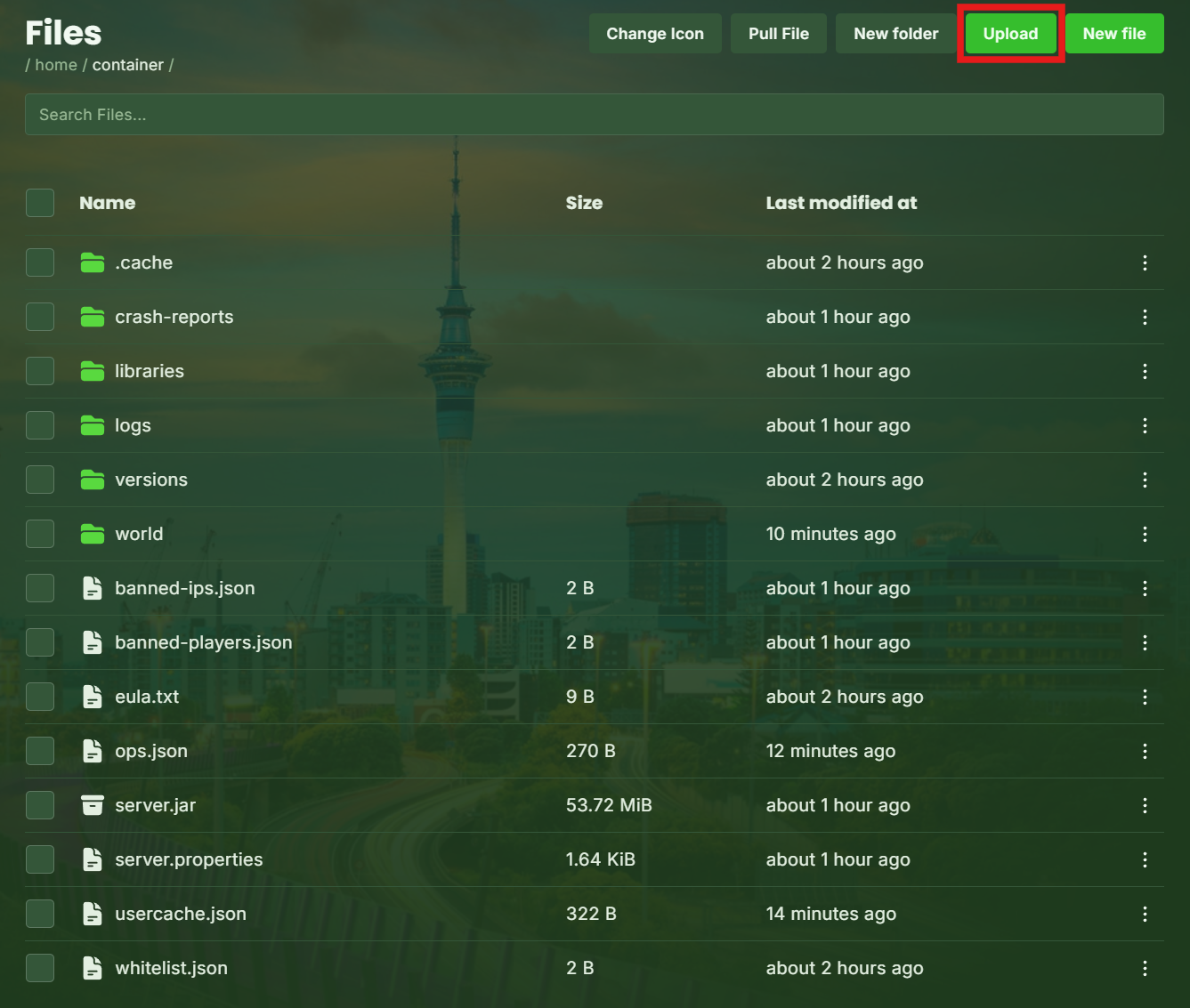
Open your Game Panel
Click Files
Drag and drop files into the window
Or click Upload
Best for:
Small config edits
Single plugin uploads
Quick changes
Option 2: Upload Using SFTP (Recommended)
SFTP is faster and better for large modpacks or worlds.
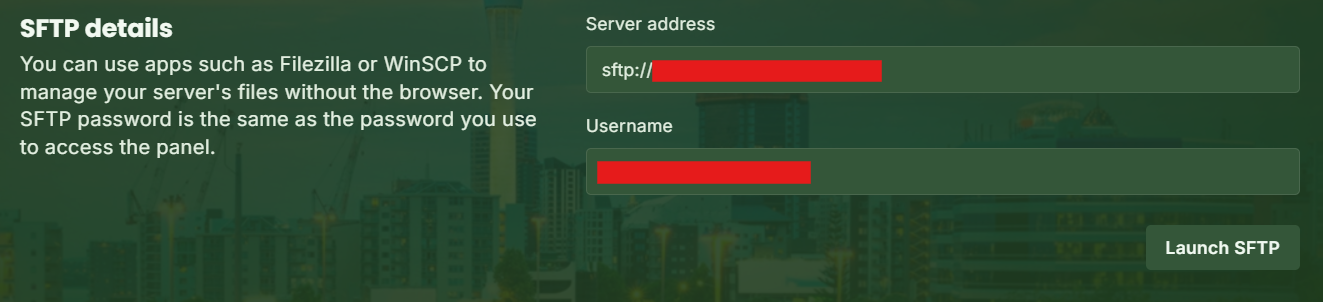
Step 1: Find Your SFTP Details
In the settings tab, you’ll see:
Server address (including port)
Username
Step 2: Connect With an SFTP Client
We recommend FileZilla or WinSCP.
Enter the connection details from above and your control panel password to connect to your server.
Step 3: Upload Files
Once connected, you can drag and drop files directly into your server folders.
Perfect for:
World uploads
Large modpacks
Bulk file management