
Joining your KiwiNode Hytale server is quick and easy once your service is online.
This guide will show you where to find your server address and connect in-game.
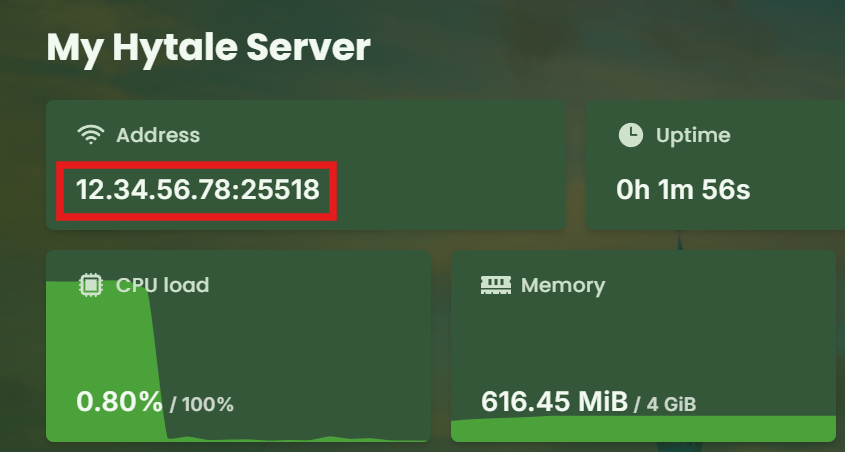
Step 1: Find Your Server IP
Log in to your KiwiNode dashboard
Click on your Hytale service
Open the Game Panel
Copy the server address shown on the main page
Step 2: Connect in Hytale
Launch Hytale
Open the Multiplayer/Servers menu
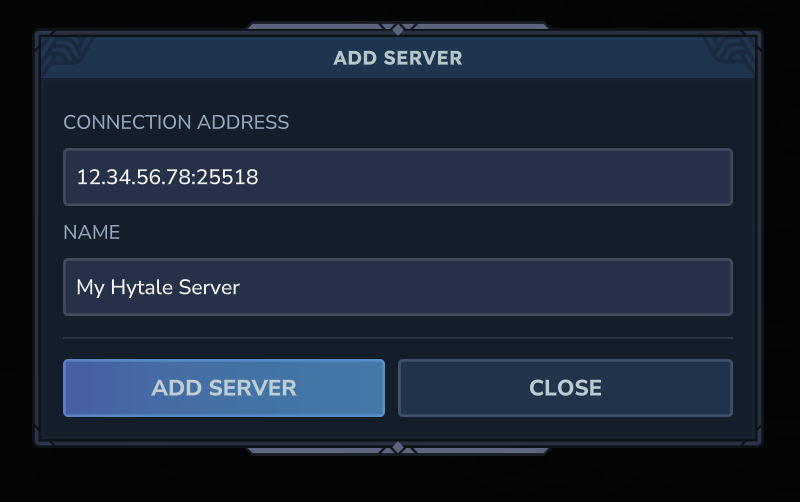
Click Add Server
Paste your server address
Join and start playing
Custom Domains (Optional)
You are also able to connect using a custom subdomain like:
myserver.kiwinode.nz