
Once your KiwiNode Minecraft server is online, joining it is quick and easy.
This guide will show you where to find your server IP address and how to connect in-game.
Step 1: Find Your Server Address
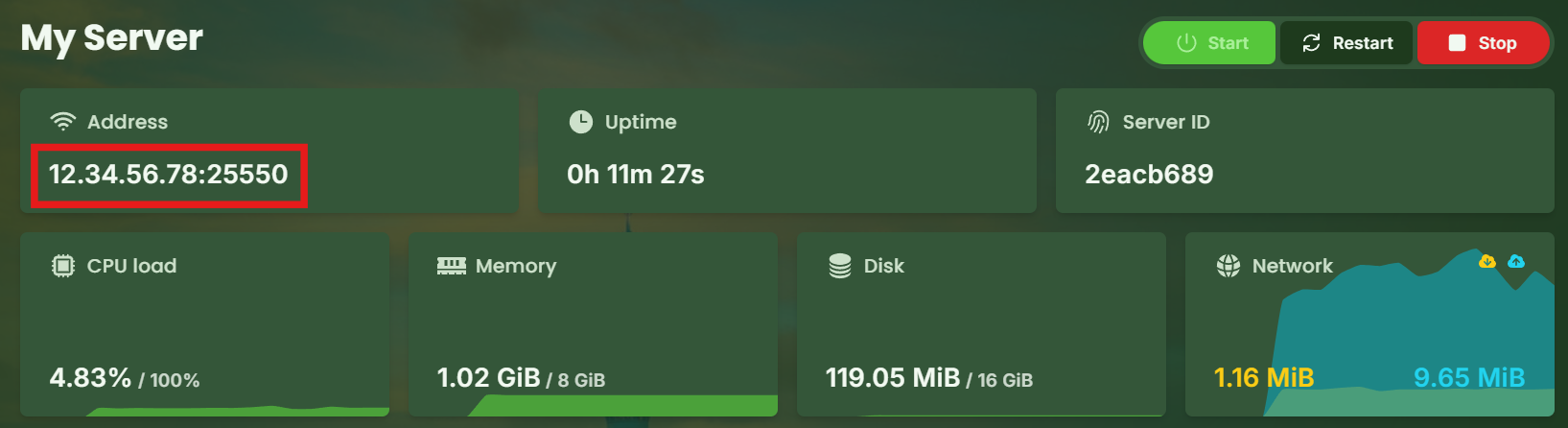
To join your server, you’ll first need its IP address.
Log in to your KiwiNode dashboard
Click on your Minecraft service
Open the Game Panel
Copy the server IP shown on the main page
Step 2: Join Through Minecraft
Now that you have the IP:
Open Minecraft Java Edition
Click Multiplayer
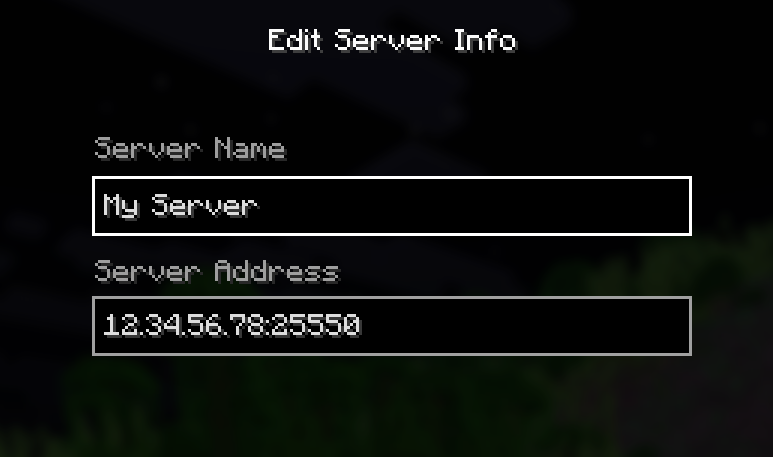
Select Add Server
Paste your server IP address
Click Done, then Join Server
Joining With a Custom Subdomain
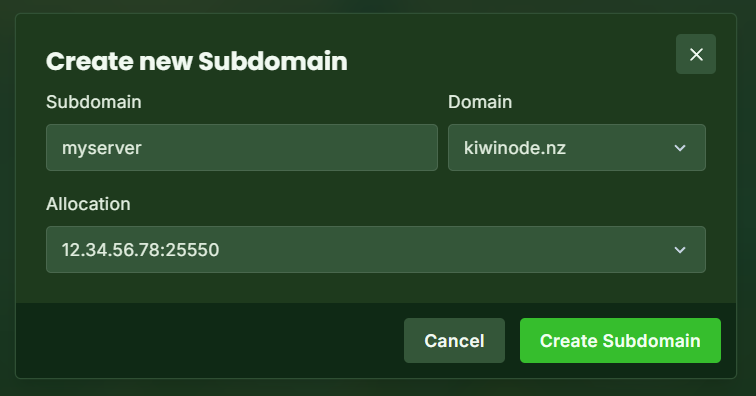
KiwiNode also supports joining through a custom address, such as:
myserver.kiwinode.nz
This can make your server easier to share with friends instead of using a long IP.
📌 Want to set one up?
Check out our guide here:
How to Create a Custom Subdomain for Your Server
Troubleshooting Connection Issues
If you can’t connect:
Make sure the server is fully started
Double-check the IP address
Ensure you are using the correct Minecraft version
Confirm your firewall/network allows Minecraft
If you still need help, feel free to contact support!
You’re now ready to jump into your KiwiNode Minecraft server 🎮